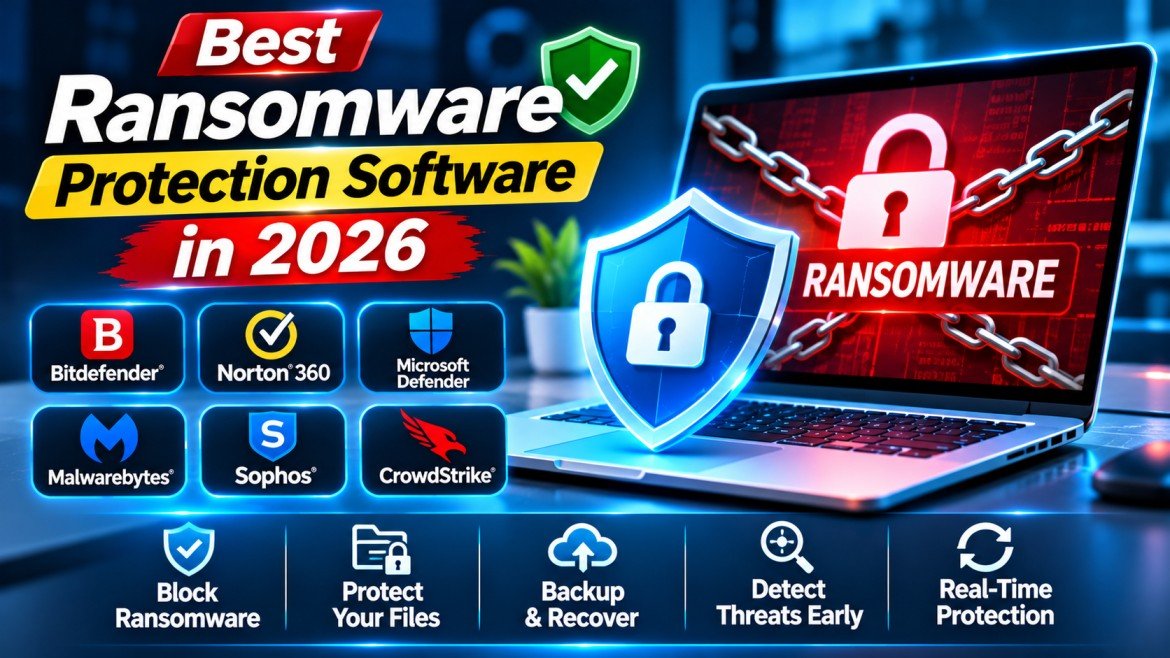
Best Ransomware Protection Software, A ransomware attack can turn important files into inaccessible, encrypted data within minutes. Personal photos, business documents, customer records, and financial information can all become targets. Attackers may then demand money in exchange for a decryption key.
The good news is that the right security software, combined with reliable backups and safe computer habits, can significantly reduce your risk.
In this guide, we compare some of the best ransomware protection software options, explain their features, and help you choose the right protection for your Windows PC or business.
What Is Ransomware Protection Software?
Ransomware protection software is designed to prevent, detect, and respond to ransomware attacks. Unlike basic virus scanning, dedicated ransomware protection may also monitor suspicious file activity and stop unauthorized applications from changing important documents.
Common ransomware protection features include:
- Real-time threat detection: Monitors files and applications for suspicious activity.
- Behavior-based detection: Identifies potentially harmful behavior, including activity from previously unknown threats.
- Folder protection: Prevents unauthorized applications from modifying selected folders.
- Automatic threat blocking: Stops suspicious processes before they can cause further damage.
- Backup and recovery: Helps restore files if an attack succeeds.
- Cloud-based security: Uses online threat intelligence to identify emerging threats.
No security product can guarantee complete protection. A strong defense combines security software, regular updates, and reliable offline or cloud backups. Microsoft’s ransomware protection guidance.
Best Ransomware Protection Software in 2026: Quick Comparison
| Software | Best For | Main Strength |
|---|---|---|
| Bitdefender | Home users | Multi-layered protection |
| Norton 360 | Home users | Security and backup options |
| Microsoft Defender | Windows users | Built-in folder protection |
| Malwarebytes | Malware protection | Threat detection and response |
| Sophos Intercept X | Businesses | Advanced endpoint security |
| CrowdStrike Falcon | IT teams | Endpoint detection and response |
These are different types of products, and some are designed for individual consumers while others are intended for managed business environments. Features depend on the subscription and edition.
1. Bitdefender
Best for Multi-Layered Ransomware Protection
Bitdefender Antivirus: recensione | TechRadar
Bitdefender offers security products with multiple layers of protection against malware and ransomware. Its consumer security plans include features designed to detect suspicious activity and protect important files.
Key Features:
- Real-time malware protection
- Ransomware mitigation features
- Suspicious behavior detection
- Web threat protection
- Anti-phishing features
- Security tools for multiple devices, depending on the plan
Advantages
Best Ransomware Protection Software, Bitdefender is worth considering if you want a broader security package rather than a basic antivirus scanner. Its ransomware-related features are part of a wider approach to protecting devices against online threats.
PCMag’s 2026 ransomware protection review highlights Bitdefender Antivirus Plus for its multi-layered ransomware protection. PCMag’s 2026 ransomware protection review.
Limitations
Some advanced features are available only in higher-tier subscriptions. The included VPN and other extras may also have usage restrictions depending on the plan.
Who Should Choose It?
Home users who want comprehensive antivirus protection with additional ransomware defenses should consider Bitdefender.
Official website: https://www.bitdefender.com/
2. Norton 360
Best for Home Security and Backup Options
Norton 360 Antivirus Review: How It Ranks #1 in Our Tests
Norton 360 combines antivirus protection with additional security and privacy features. Depending on the subscription, it can include cloud backup, firewall protection, and other tools.
Key Features:
- Real-time malware protection
- Ransomware protection features
- Cloud backup in eligible plans
- Firewall protection
- Phishing and web protection
- Additional privacy and identity tools in selected plans
Advantages
One important benefit of Norton 360 is that certain plans include cloud backup. A backup can be valuable if ransomware manages to encrypt files on your computer.
Having a separate, recoverable copy of important data gives you another recovery option instead of relying entirely on the security software to stop every attack.
Limitations
Cloud backup capacity and other features vary by plan. Subscription renewal prices may also differ from introductory prices.
Who Should Choose It?
Norton 360 may suit households and individual users who want antivirus protection alongside backup and other security services.
Official website: https://us.norton.com/
3. Best Ransomware Protection Software:: Microsoft Defender
Best Built-In Ransomware Protection for Windows
Windows Security Guide | Protect Your PC from Threats | WindowsTechies
Best Ransomware Protection Software, Microsoft Defender is included with supported Windows versions and offers several security features without requiring users to purchase another antivirus application.
One particularly useful feature is Controlled Folder Access. It helps protect selected folders by preventing unauthorized applications from making changes to their contents.
Key Features:
- Real-time antivirus protection
- Controlled Folder Access
- Windows Firewall
- Cloud-delivered protection
- Security intelligence updates
- Integration with Windows Security
Advantages
Microsoft Defender is convenient because it is already integrated into Windows. Users can enable ransomware-related folder protection through the Windows Security application.
To access the feature:
- Open Windows Security.
- Select Virus & threat protection.
- Find Ransomware protection.
- Select Manage ransomware protection.
- Review and enable Controlled Folder Access.
- Add trusted applications if Windows blocks a legitimate program.
Microsoft explains these settings in its official Windows Security ransomware protection guide.
Limitations
Controlled Folder Access may block legitimate applications that need to modify protected files. You may need to allow trusted applications manually.
Microsoft Defender’s built-in features also differ from the more advanced business protection available through Microsoft Defender for Endpoint.
Who Should Choose It?
Windows users who want a convenient starting point without purchasing another security subscription should consider Microsoft Defender.
Official website: https://www.microsoft.com/windows/comprehensive-security
4. Malwarebytes
Best for Malware Detection and Threat Response
Cómo eliminar virus y malware de un PC con Windows utilizando una simple memoria USB
Malwarebytes provides security products designed to detect and remove malicious software. Its paid security products offer additional protection features beyond the free on-demand scanner.
Key Features:
- Malware detection and removal
- Real-time protection in eligible plans
- Web protection
- Suspicious activity detection
- Security scanning
- Additional endpoint protection options
Advantages
Malwarebytes can be useful for people who want an additional security layer or need to investigate suspicious activity on their computers.
Its product range includes options for individual users and organizations.
Limitations
The free version should not be confused with the premium security product. Free and paid editions offer different levels of protection, and advanced ransomware-related capabilities may depend on the selected plan.
Who Should Choose It?
Users who want additional malware detection and security tools can compare Malwarebytes’ free and paid offerings.
Official website: https://www.malwarebytes.com/
5. Sophos Intercept X
Best for Business Endpoint Protection
Sophos Intercept X Advanced review | TechRadar
Best Ransomware Protection Software, Businesses often need more than a traditional antivirus application. They may have multiple computers, employees working remotely, shared files, and servers containing important company information.
Sophos Intercept X is designed for organizational endpoint security and includes technologies intended to detect and respond to advanced threats.
Key Features:
- Ransomware protection technologies
- Endpoint threat detection
- Suspicious behavior monitoring
- Malware protection
- Centralized security management
- Business endpoint security controls
Advantages
Sophos is worth Best Ransomware Protection Software evaluating for businesses that need centrally managed protection across multiple devices.
Security administrators can use its business security tools to monitor endpoint activity and respond to potential threats.
Limitations
Sophos Intercept X is not simply a free home antivirus application. Licensing, deployment, and management requirements make it more suitable for organizations.
Who Should Choose It?
Small and medium-sized businesses that need managed endpoint security should consider Sophos.
Official website: https://www.sophos.com/
6. CrowdStrike Falcon
Best for Advanced Endpoint Detection and Response
Everything to Know About Securing Containers With Falcon | CrowdStrike
CrowdStrike Falcon is a cybersecurity platform designed for organizations that need advanced endpoint protection, threat detection, and incident response capabilities.
It goes beyond traditional antivirus scanning by helping security teams investigate suspicious activity across devices.
Key Features:
- Endpoint detection and response
- Threat monitoring
- Behavioral threat detection
- Security investigation tools
- Incident response capabilities
- Centralized endpoint visibility
Advantages
CrowdStrike Falcon is designed for environments where IT teams need visibility into endpoint activity and the ability to investigate security incidents.
It may be particularly relevant for organizations with remote employees and multiple connected devices.
Limitations
CrowdStrike is primarily an enterprise and business security solution. It may be unnecessarily complex for someone who simply wants to protect a personal laptop.
Pricing and features depend on the selected business package.
Who Should Choose It?
Organizations with dedicated IT or security teams should evaluate CrowdStrike Falcon when looking for advanced endpoint protection.
Official website: https://www.crowdstrike.com/
Free vs Paid Ransomware Protection
Many users assume that ransomware protection always requires an expensive subscription. That is not necessarily true.
Windows already provides useful security features, including Controlled Folder Access. However, paid security suites may offer additional tools for monitoring, recovery, and managing multiple devices.
| Feature | Free Protection | Paid Security Plans |
|---|---|---|
| Basic antivirus | Often included | Included |
| Real-time protection | Depends on product | Usually included |
| Folder protection | Available in Windows | Depends on product |
| Behavioral detection | Varies | Often more advanced |
| Cloud backup | Usually separate or limited | Available in selected plans |
| Centralized management | Limited | Available in business plans |
| Technical support | Usually basic | Often more extensive |
Which should you choose?
For a personal Windows computer, Microsoft Defender can provide a useful starting point. If you need additional backup, security monitoring, or multi-device protection, compare paid plans from established providers.
Businesses should consider managed endpoint security and a separate backup and recovery strategy.
How to Protect Your Computer From Ransomware
Best Ransomware Protection Software, Even the best ransomware protection software cannot guarantee that every attack will be blocked. Following good security practices can reduce the risk of infection.
1. Keep Your Operating System Updated
Install Windows updates and security patches regularly. Updates fix vulnerabilities that attackers may otherwise exploit.
2. Enable Controlled Folder Access
Windows users can enable Controlled Folder Access to prevent unauthorized applications from changing files in protected folders.
This is particularly useful for protecting documents, pictures, and other important data.
3. Maintain Separate Backups
Keep copies of important files in a separate location, such as an external drive or a trusted cloud backup service.
For stronger protection, use backups that cannot be modified or deleted by an infected computer.
4. Avoid Suspicious Email Attachments
Ransomware can arrive through malicious email attachments and links.
Be careful with unexpected invoices, delivery notifications, financial documents, and files from unknown senders.
5. Download Software From Official Websites
Avoid unofficial software downloads, cracked applications, and suspicious activation tools. These can contain malicious programs.
6. Use Multi-Factor Authentication
Enable multi-factor authentication on important accounts, especially email, cloud storage, and business services.
This can help prevent attackers from accessing accounts using stolen passwords.
7. Use a Standard User Account
For everyday computer activities, avoid using an administrator account unnecessarily. A standard account can reduce the permissions available to some malicious applications.
What Should You Do if Ransomware Attacks Your Computer?
If you notice that your files have suddenly become inaccessible or a ransom message appears, act carefully.
Follow these steps:
- Disconnect the infected computer: Disconnect Wi-Fi and Ethernet to help prevent further network communication.
- Do not connect backup drives: Disconnect external storage devices that may still contain clean backups.
- Do not delete encrypted files: Preserve them in case a legitimate recovery option becomes available.
- Use a trusted security professional: Get help identifying the ransomware family and assessing the damage.
- Check for official decryptors: Visit trusted resources such as No More Ransom to see whether a recovery tool exists for your ransomware variant.
- Restore clean backups: If available, restore files from backups after the infection has been removed and the system is safe.
- Secure your accounts: Change potentially exposed passwords from a separate, trusted device.
Paying a ransom does not guarantee that attackers will restore your files. It can also encourage further criminal activity.
For additional guidance, see Microsoft’s official ransomware response recommendations.
How to Choose the Right Ransomware Protection Software
Before purchasing a security product, consider these five factors:
Detection technology: Look for real-time and behavior-based threat detection rather than relying only on manual scans.
File protection: Check whether the software offers folder protection or another mechanism to prevent unauthorized file modifications.
Backup and recovery: A good recovery strategy is essential because prevention can fail.
Device compatibility: Confirm that the software supports your operating system and the number of devices you need to protect.
Independent testing: Compare results from reputable testing organizations. For example, AV-Comparatives publishes malware protection evaluations and false-positive results. Its August–September 2026 business test provides a useful example of how products can differ. AV-Comparatives Business Security Test 2026.
Frequently Asked Questions
1. What is the best ransomware protection software in 2026?
There is no single best option for every user. Bitdefender and Norton are worth comparing for home users, Microsoft Defender offers built-in Windows protection, and Sophos and CrowdStrike are designed for business environments.
2. Is Microsoft Defender enough for ransomware protection?
Microsoft Defender provides useful built-in protection, including Controlled Folder Access. For many personal Windows users, it is a sensible starting point. Regular backups and safe browsing habits remain essential.
3. Can antivirus software stop ransomware?
Antivirus software with real-time and behavior-based detection can block many ransomware threats. However, no antivirus can guarantee that every attack will be prevented.
4. Can ransomware be removed without losing files?
Sometimes malware can be removed while encrypted files remain on the computer. However, removing the ransomware does not automatically decrypt those files. Recovery may require a clean backup or a legitimate decryptor for the specific ransomware variant.
5. Is free ransomware protection available?
Yes. Windows includes security features such as Microsoft Defender Antivirus and Controlled Folder Access. These provide useful protection without requiring an additional antivirus subscription.
6. Does ransomware protection software protect external hard drives?
Protection varies by product. Some security applications can monitor activity involving removable drives, but you should not assume every external drive is automatically protected. Keep disconnected backups and verify the software’s removable-storage settings.
7. Should I pay a ransomware demand?
Paying is generally not recommended. Attackers may refuse to provide a working decryption key, and payment does not guarantee recovery. Consider professional assistance and check for legitimate recovery options first.
Final Verdict: Which Ransomware Protection Software Should You Choose?
Best Ransomware Protection Software, Choosing the right product depends on whether you are protecting a personal computer, a family network, or a business environment.
- Bitdefender: A strong option to compare for multi-layered home security.
- Norton 360: Worth considering if you want security features and backup options together.
- Microsoft Defender: A convenient built-in starting point for Windows users.
- Malwarebytes: An option for additional malware detection and protection.
- Sophos Intercept X: Designed for business endpoint security.
- CrowdStrike Falcon: Suitable for organizations requiring advanced endpoint detection and response.
Best Ransomware Protection Software, For most personal Windows users, start by enabling Microsoft Defender and Controlled Folder Access. Add a reliable backup strategy so that important files remain recoverable if an attack succeeds.
Remember: ransomware protection is not just about blocking malware. It is also about making sure you can recover your data when something goes
for more click here:;