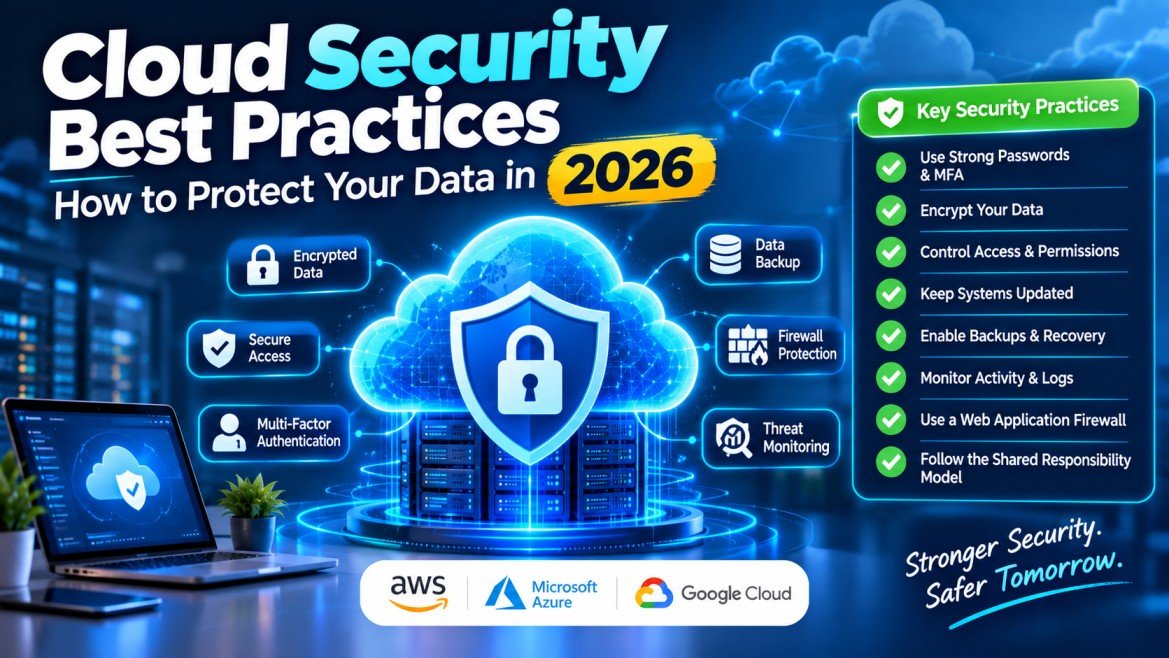
Cloud computing has transformed how individuals and businesses store, manage, and access information. Instead of relying entirely on local computers and physical servers, organizations can use cloud platforms to run applications, store files, manage databases, and support remote employees.
However, moving information to the cloud also creates important security responsibilities. Misconfigured storage, weak passwords, compromised accounts, insecure applications, and unauthorized access can expose sensitive business and personal information.
Whether you use Amazon Web Services (AWS), Microsoft Azure, Google Cloud, or cloud storage applications, protecting your information should be a priority.
In this guide, you will learn the most important cloud security best practices in 2026, including data encryption, identity management, access control, secure backups, threat monitoring, and practical steps to protect your cloud environment.
What Is Cloud Security?
Cloud security refers to the technologies, policies, procedures, and practices used to protect cloud-based systems, applications, networks, and information.
It helps prevent unauthorized access, data theft, malware infections, accidental exposure, and other cybersecurity threats.
Cloud security involves several important areas:
- Data protection: Keeping sensitive information secure during storage and transmission.
- Identity management: Verifying users before granting access to cloud resources.
- Access control: Ensuring users only receive the permissions they need.
- Network security: Protecting cloud infrastructure and communications.
- Threat monitoring: Detecting suspicious activity and potential attacks.
- Backup and recovery: Maintaining secure copies of important information.
- Compliance: Managing information according to applicable legal and industry requirements.
Cloud security is a shared responsibility between cloud providers and their customers. The exact responsibilities depend on the service model and provider.
Why Is Cloud Security Important?
Businesses increasingly depend on cloud platforms for everyday operations. They may store customer information, financial records, employee documents, application data, and confidential business files in cloud environments.
If these resources are not properly protected, attackers or unauthorized users may gain access.
Here are some reasons why cloud security matters.
1. Protect Sensitive Data
Cloud environments can contain confidential information, including customer records, payment-related information, business documents, and intellectual property.
Strong security controls help prevent unauthorized access and accidental data exposure.
2. Prevent Unauthorized Access
Weak passwords and compromised accounts can allow attackers to access cloud applications and stored information.
Multi-factor authentication and identity-based access policies help reduce these risks.
3. Reduce the Risk of Data Breaches
Misconfigured storage, excessive permissions, and vulnerable applications can expose sensitive information.
Regular security reviews help identify and correct these weaknesses.
4. Maintain Business Continuity
Cloud security also involves protecting information from accidental deletion, ransomware, and service disruptions.
Reliable backups and recovery procedures help businesses restore important data after an incident.
5. Support Compliance Requirements
Organizations may need to follow security and privacy requirements depending on their industry, customers, and operating locations.
Examples include requirements associated with HIPAA, GDPR, and PCI DSS where applicable. Using a cloud provider does not automatically make an organization compliant.
12 Cloud Security Best Practices to Protect Your Data
The following practices can help individuals, developers, and businesses strengthen their cloud security.
1. Enable Multi-Factor Authentication (MFA)
Multi-factor authentication is one of the most important ways to protect cloud accounts.
A password alone may not be enough to prevent unauthorized access. If someone steals or guesses your password, they may attempt to sign in as you.
MFA adds an additional verification step.
Depending on the service, this may include:
- An authenticator application.
- A hardware security key.
- A passkey.
- A supported biometric authentication method.
- Another approved verification method.
For administrator and privileged accounts, phishing-resistant MFA is particularly valuable.
Best practice: Enable MFA on cloud administrator accounts, email accounts, storage services, and other platforms containing sensitive information.
2. Use Strong Identity and Access Management (IAM)
Identity and Access Management (IAM) controls who can access cloud resources and what actions they are allowed to perform.
For example, a developer may need permission to manage application resources, while an accountant may only need access to financial documents.
IAM helps organizations create separate roles and permissions for different users.
Important IAM practices include:
- Create individual accounts instead of sharing credentials.
- Use role-based access control.
- Remove unnecessary permissions.
- Review user accounts regularly.
- Secure administrator and service accounts.
- Disable accounts when employees leave.
- Avoid permanent administrator access when temporary access is sufficient.
Following the principle of least privilege reduces the potential damage caused by compromised accounts.
3. Encrypt Data at Rest and in Transit
Encryption converts readable information into a protected format that requires the appropriate key to access.
Cloud security should consider two important types of encryption.
Encryption at Rest
This protects information stored in cloud databases, storage systems, disks, and backups.
Encryption in Transit
This protects information while it moves between users, applications, servers, and cloud services.
For example, HTTPS uses TLS to help protect data exchanged between a browser and a website.
Organizations should also pay attention to encryption key management.
Important practices include:
- Use reputable encryption standards.
- Protect encryption keys separately from encrypted data.
- Restrict access to key management systems.
- Establish appropriate key rotation procedures.
- Monitor key usage and administrative changes.
- Maintain secure recovery arrangements for critical keys.
Encryption is most effective when combined with strong authentication and access controls.
4. Secure Cloud Storage and Database Permissions
Cloud storage systems can expose sensitive information when permissions are configured incorrectly.
For example, a storage bucket containing customer documents may accidentally be configured for public access.
To reduce this risk:
- Disable public access unless it is specifically required.
- Review sharing permissions regularly.
- Restrict access to sensitive folders and databases.
- Use private network access where appropriate.
- Monitor permission changes.
- Avoid storing confidential information in public repositories.
- Review database access credentials.
Before deploying a cloud storage system, verify its access configuration and test whether unauthorized users can retrieve protected files.
5. Keep Cloud Applications and Systems Updated
Outdated operating systems, applications, frameworks, and software components may contain vulnerabilities.
Attackers can exploit known weaknesses when organizations delay security updates.
Maintain an update schedule for:
- Operating systems.
- Cloud-hosted applications.
- Database software.
- Web servers.
- Application frameworks.
- Containers and dependencies.
- Security tools.
Use automated patch management where appropriate, but test important updates before applying them to critical production systems.
6. Use a Cloud Firewall and Network Security Controls
Cloud network security helps protect communication between users, applications, servers, and external systems.
Cloud platforms provide different network security features, including firewalls, security groups, network access controls, and private networking options.
Best practices include:
- Restrict unnecessary inbound connections.
- Avoid exposing administrative ports to the public internet.
- Use private networks for sensitive services where possible.
- Separate production and development environments.
- Apply network segmentation.
- Monitor unusual network traffic.
- Review firewall rules regularly.
For example, a database that only needs to communicate with an application server should not be publicly accessible without a specific business requirement.
7. Create Regular and Secure Cloud Backups
Backups are essential for protecting information against accidental deletion, ransomware, system failures, and other incidents.
However, simply creating backups is not enough. They must also be protected against unauthorized modification and deletion.
A good cloud backup strategy should include:
- Automatic backup schedules.
- Separate backup storage.
- Restricted backup administrator permissions.
- Encryption of backup data.
- Appropriate retention periods.
- Regular recovery testing.
- Documented restoration procedures.
Consider immutable backups or backup storage with deletion protection where supported.
For critical systems, follow a documented recovery plan and test it periodically.
8. Monitor Cloud Activity and Security Logs
Monitoring helps organizations identify suspicious activity before it develops into a serious security incident.
Cloud platforms provide logging and monitoring services that can record user activity, resource changes, access attempts, and other events.
Monitor for:
- Unusual login locations.
- Repeated failed authentication attempts.
- Unexpected administrator activity.
- Public storage permission changes.
- Unusual data downloads.
- Unknown API access.
- Changes to firewall rules.
- Unexpected creation of cloud resources.
Configure security alerts for important events and ensure that someone is responsible for investigating them.
Logging is useful only when logs are retained, protected, and reviewed appropriately.
9. Protect Cloud APIs and Application Credentials
Application Programming Interfaces (APIs) allow different applications and services to communicate.
However, insecure APIs or exposed credentials can create opportunities for unauthorized access.
Developers should follow these practices:
- Authenticate API requests.
- Apply authorization checks.
- Use rate limiting where appropriate.
- Store secrets in secure secret-management systems.
- Rotate exposed credentials.
- Avoid hardcoding API keys in source code.
- Validate incoming requests.
- Monitor unusual API activity.
Never publish private API keys or cloud access credentials in public code repositories.
10. Use Endpoint Security for Cloud Access
Cloud accounts are often accessed through laptops, desktops, and mobile devices.
If an employee’s device becomes infected with malware, attackers may attempt to steal saved credentials or access cloud applications.
Endpoint security helps protect devices used to access cloud resources.
Consider:
- Endpoint detection and response (EDR).
- Anti-malware protection.
- Device encryption.
- Operating system updates.
- Screen locks.
- Device management policies.
- Restrictions on unmanaged devices.
Organizations should evaluate device security before allowing access to sensitive cloud resources.
11. Understand the Shared Responsibility Model
One of the most misunderstood aspects of cloud security is the shared responsibility model.
Cloud providers protect the infrastructure they operate, but customers remain responsible for many security decisions.
The exact division depends on whether you use infrastructure, platform, or software services.
For example:
| Security Area | Cloud Provider | Customer |
|---|---|---|
| Physical data centers | Generally responsible | Understand provider assurances |
| Underlying infrastructure | Generally responsible | Depends on service model |
| User account security | Provides security features | Configure and manage accounts |
| Data permissions | Provides access controls | Configure permissions |
| Application security | Varies by service | Secure customer-managed applications |
| Data backups | Varies by service | Confirm and manage backup needs |
| Security monitoring | Provides tools and logs | Configure alerts and investigate |
The important lesson is that using a major cloud provider does not automatically make your cloud environment secure.
Understand the provider’s security documentation and your responsibilities before deploying sensitive workloads.
12. Create a Cloud Security Incident Response Plan
Even well-protected environments can experience security incidents.
A documented incident response plan helps organizations respond quickly and reduce potential damage.
Your plan should explain:
- Who is responsible for responding to incidents.
- How suspicious activity should be reported.
- How compromised accounts will be secured.
- How affected systems can be isolated.
- How backups will be restored.
- How evidence and logs will be preserved.
- When customers or regulators may need to be notified.
Test the plan through regular exercises so that employees understand their responsibilities.
Cloud Security Best Practices for AWS, Azure, and Google Cloud
Different cloud providers offer security tools and services to help protect their environments.
Here are some examples.
Amazon Web Services (AWS)
Official Website: https://aws.amazon.com/security/
AWS provides several security services and capabilities, including:
- AWS Identity and Access Management (IAM).
- AWS CloudTrail for activity logging.
- AWS Key Management Service (KMS).
- AWS Security Hub.
- Amazon GuardDuty.
- AWS WAF.
Organizations should use appropriate identity policies, protect account credentials, review resource permissions, and monitor important activity.
Microsoft Azure
Official Website: https://azure.microsoft.com/en-us/products/microsoft-defender-for-cloud
Microsoft Azure offers security capabilities for identity management, infrastructure protection, monitoring, and cloud workload security.
Examples include:
- Microsoft Entra ID.
- Microsoft Defender for Cloud.
- Azure Key Vault.
- Azure Firewall.
- Azure Monitor.
- Microsoft Sentinel.
Businesses should review identity permissions, protect secrets, configure network controls, and monitor cloud resources.
Google Cloud Platform (GCP)
Official Website: https://cloud.google.com/security
Google Cloud provides security services for identity management, encryption, monitoring, network protection, and infrastructure management.
Examples include:
- Cloud Identity and IAM.
- Cloud Key Management Service.
- Security Command Center.
- Cloud Audit Logs.
- VPC Service Controls.
- Cloud Armor.
Organizations should configure resource permissions carefully, enable suitable logging, protect sensitive information, and follow Google Cloud security guidance.
Cloud Security Tools Comparison
The following tools can help organizations manage different aspects of cloud security.
| Tool | Main Purpose | Suitable For |
|---|---|---|
| AWS Security Hub | Centralized security findings | AWS environments |
| Microsoft Defender for Cloud | Cloud security posture and workload protection | Azure and supported multi-cloud environments |
| Google Security Command Center | Cloud security visibility and risk detection | Google Cloud |
| Cloudflare | Network protection and traffic security | Websites and applications |
| Wiz | Cloud security posture and risk management | Cloud environments |
| CrowdStrike Falcon | Endpoint and workload security capabilities | Businesses and IT teams |
These products do not all perform the same function. Some focus on cloud infrastructure, others on endpoint protection, and some provide security visibility across multiple environments.
Choose products according to your architecture, budget, technical requirements, and existing security tools.
Common Cloud Security Mistakes to Avoid
Even organizations using advanced cloud platforms can make configuration mistakes.
Here are common problems to watch for.
1. Using Weak Passwords
Weak or reused passwords can make cloud accounts easier to compromise.
Use unique passwords and MFA, especially for administrator accounts.
2. Leaving Storage Publicly Accessible
Incorrect storage permissions can expose sensitive documents and customer information.
Review public access settings and restrict permissions.
3. Giving Users Too Many Permissions
Excessive access increases the impact of compromised accounts.
Apply least-privilege policies and review permissions regularly.
4. Ignoring Security Logs
If nobody reviews cloud activity, suspicious events may go unnoticed.
Configure monitoring and assign responsibility for investigating alerts.
5. Depending Only on Provider Security
Cloud providers protect their infrastructure, but customers still need to secure their accounts, data, applications, and configurations.
Understand the shared responsibility model for each service.
6. Failing to Test Backups
A backup that cannot be restored may not help during an emergency.
Test backup recovery procedures regularly.
Cloud Security Checklist for 2026
Use this checklist to review your cloud security setup.
- Enable MFA for all privileged accounts.
- Use strong and unique passwords.
- Review IAM roles and permissions.
- Apply least-privilege access.
- Encrypt sensitive data at rest and in transit.
- Secure encryption keys.
- Disable unnecessary public storage access.
- Configure network firewalls and segmentation.
- Update cloud applications and software.
- Protect API keys and application secrets.
- Create encrypted and separate backups.
- Test backup restoration.
- Enable cloud activity logging.
- Configure alerts for suspicious activity.
- Review cloud security policies regularly.
- Maintain an incident response plan.
Frequently Asked Questions (FAQs)
1. What are the best cloud security practices?
The most important cloud security practices include enabling MFA, applying least-privilege access, encrypting sensitive information, securing storage permissions, monitoring cloud activity, updating software, and maintaining tested backups.
2. Is cloud storage safe for sensitive data?
Cloud storage can be used to store sensitive information when the service is properly selected, configured, and managed. Use encryption, strong authentication, restricted permissions, and appropriate backup policies.
3. What is the biggest cloud security risk?
There is no single biggest risk for every organization. Common risks include compromised accounts, misconfigured cloud resources, excessive permissions, insecure applications, and inadequate monitoring.
4. What is the shared responsibility model in cloud security?
The shared responsibility model explains which security tasks belong to the cloud provider and which belong to the customer. The division depends on the cloud service and deployment model.
5. How does encryption protect cloud data?
Encryption transforms readable information into a protected format that requires the correct key to access. It helps protect stored data and information transmitted between systems.
6. What is IAM in cloud computing?
Identity and Access Management (IAM) controls who can access cloud resources and what actions they can perform. It helps organizations manage users, roles, permissions, and authentication.
7. How often should cloud data be backed up?
Backup frequency depends on how frequently information changes and how much data an organization can afford to lose. Important business systems may require daily or more frequent backups, along with regular restoration tests.
8. Can small businesses implement cloud security?
Yes. Small businesses can start with practical measures such as MFA, strong passwords, restricted sharing, secure backups, software updates, and regular account reviews.
Conclusion
Cloud security is essential for protecting business information, customer records, applications, and digital operations in 2026.
Using a cloud provider does not remove the need for security planning. Organizations must understand their responsibilities, configure services correctly, protect user identities, encrypt sensitive information, and monitor suspicious activity.
Whether you use AWS, Microsoft Azure, Google Cloud, or another cloud platform, a layered security strategy can help reduce common risks.
Start with the basics: enable MFA, review access permissions, secure cloud storage, maintain reliable backups, and monitor important activity.
Protecting your cloud data is not a one-time task. It is an ongoing responsibility that requires regular monitoring, testing, and improvement.
for more click here